
Table of Contents

We are improving how approval limits work to make multi-currency approvals more accurate and consistent.
What’s changing
Approval limits can be set with a specific currency. Previously, limits were compared using the claimant’s default currency, which could cause inconsistencies when different currencies were involved.
How it works
When admins set up approvers, they’ll choose a currency code (e.g. AUD, USD, JPY) for their approval limits. This is a mandatory field, and needs to be chosen even when no limits are set for an approver.
During approval, ProSpend automatically converts the approval limit into the claimant’s default currency before comparing it against the spend amount. For conversion, the system will use ProSpend's rate on the spend date (e.g., invoice date).
Example
If an approver’s limit is 20,000 AUD and a spend is 15,000 USD, ProSpend converts the approval limit to USD (e.g. 13,000 USD) before validating against the spend.
This update will be released in two phases to ensure a smooth transition and give your team time to review the new setup.
Phase 1 – Introduction of the Currency Field
In this phase, we will add a currency field to all approval limits in user profiles. This enhancement will not change any existing approval workflows or business logic yet — it will simply allow each approver’s limit to be associated with a specific currency.
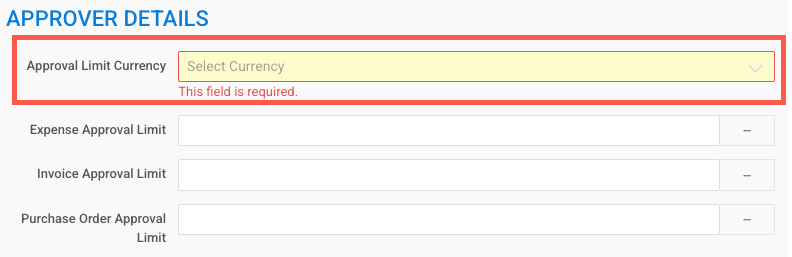
For existing approvers, ProSpend will automatically assign a currency using the following logic:
Default Claimants’ Currency:
For each approver, the system will check the claimants who have the approver setup as the default approver and if all those claimants have the same default currency, the approver’s approval limit currency will be set to the claimants’ currency.
Approver’s Own Currency:
If claimants have different currencies, or if there are no claimants with this approver as default, the system will check whether the approver is also a claimant.
If yes, the approver’s own claimant currency will be used.
System Currency:
If the approver is not a claimant, the system’s default currency will be applied.
Fallback Option:
If no currency can be determined through the above logic, the approval limit currency will default to AUD.
A new column for approval limits currency will be added to the user export file too.
What You Need to Do
Once Phase 1 is deployed, we recommend that you:
Review the Approval Limit Currency for each approver in your organisation. You can export the user list for this purpose.
To download the user list, login as an admin, go to Export Database under Reports and click on User Export.
Confirm that the automatically assigned currency is appropriate.
Make any necessary adjustments directly in the user profile settings.
We’ll provide advance notice before releasing Phase 2, where the system will start converting approval limits and comparing them against the spend amounts in the same currency.
Phase 2 – Business Logic Changes
After clients have had a few days to review and confirm their approval limit currencies, we will enable the underlying business logic.
At that stage, ProSpend will:
Convert the approval limits into the claimant's default currency using ProSpend's foreign exchange rate on the spend date. This conversion is shown in the history section of a claim or an invoice.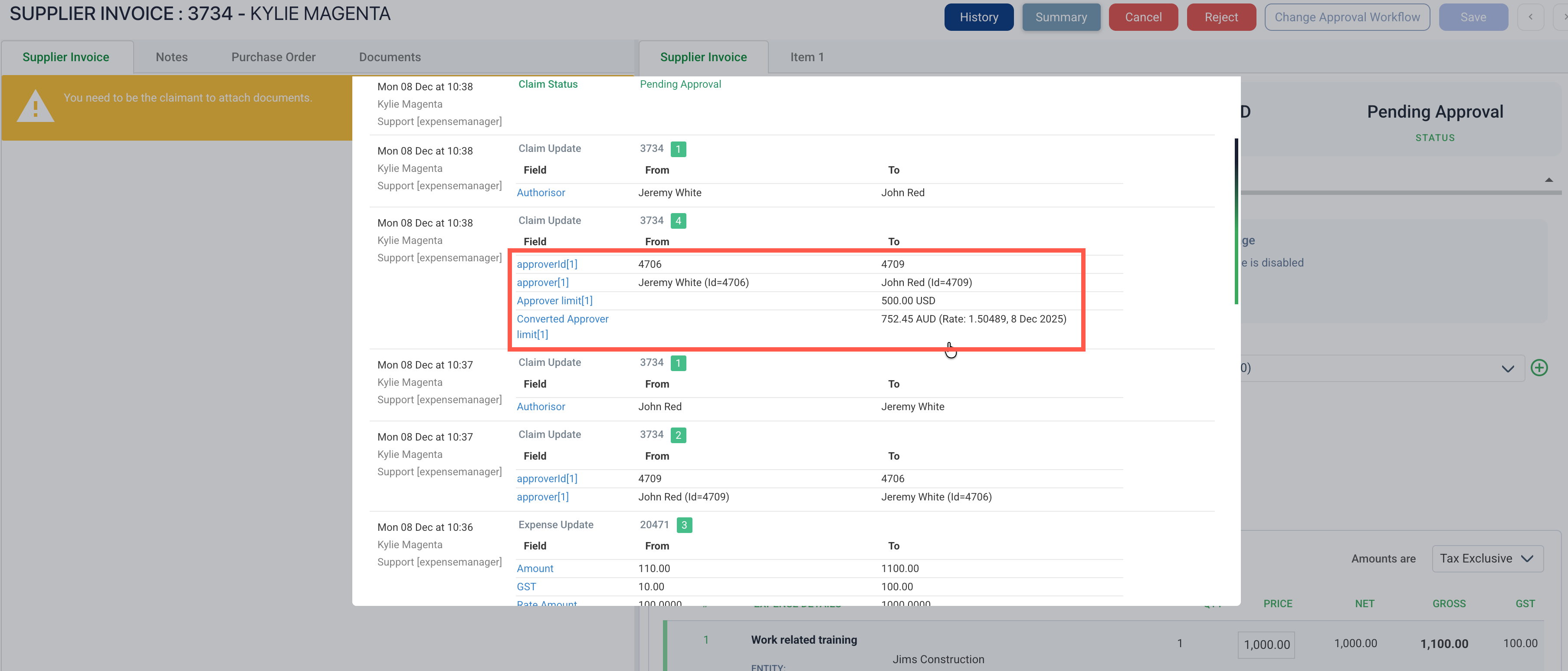
Compare the converted amount with the spend amount to ensure accurate approval validation.
Release Timeline
Phase 1 - A new field for approval limits currency will be released on 1st November, 2025.
Phase 2 - We will send you another email before the business logic changes are released.
If you have any questions or need assistance reviewing your approval limit currencies, our support team is here to help.
(ProSpend Ref - PD-5332)